Free Sketch Power Control Icon
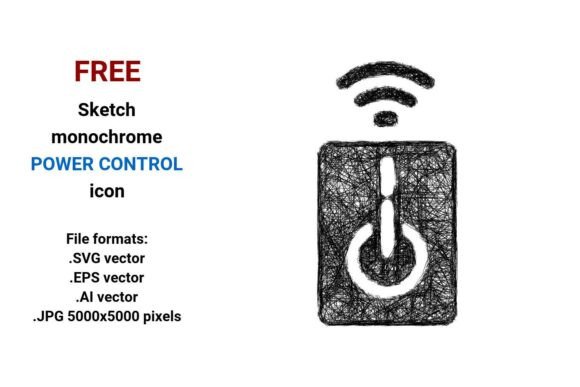
The FREE Sketch Power Control Icon is a versatile and artistic design that blends simplicity with visual charm. This icon features a hand-drawn, line-art style that gives it a unique, sketchy feel while maintaining clarity and functionality. The icon represents power control in a way that's both intuitive and aesthetically pleasing, making it ideal for a wide range of applications.
At its core, the icon consists of clean lines and minimalistic shapes, which make it highly adaptable. It's designed to be easily recognizable even at small sizes, ensuring it remains effective in both digital and print environments. The sketchy texture adds a sense of personality and warmth, distinguishing it from more rigid or sterile icons.
The FREE Sketch Power Control Icon comes in four high-quality file formats: .SVG, .EPS, .AI, and .JPG (5000x5000 pixels). These formats offer flexibility, allowing designers to use the icon across various platforms and mediums. Whether you're working on a mobile app, a website, or a physical product, this icon provides the necessary versatility to meet your needs.
Designing for Smart Home and Energy Control
In the context of smart home and energy control systems, the FREE Sketch Power Control Icon serves as an essential visual element. Its minimalist approach ensures it can be used effectively in dashboards, user interfaces, and control panels without overwhelming the viewer. The icon's clean lines and soft sketchy textures create a friendly and approachable look, which is crucial for engaging users in energy management applications.
This icon is especially useful in UI design where clarity and recognition are key. The ability to scale without loss of quality makes it suitable for responsive web design and mobile apps. Whether you're designing a smart thermostat interface or a home automation dashboard, the FREE Sketch Power Control Icon offers a reliable and stylish solution.
Applications Across Creative Fields
The FREE Sketch Power Control Icon is not limited to tech-related projects. Its artistic and sketchy nature makes it a great fit for branding, packaging, editorial design, and social media graphics. For example, it could be used as a symbol in a brand identity focused on sustainability or innovation. In packaging design, it can serve as a subtle yet meaningful visual cue that aligns with the product’s purpose.
For web design and social media graphics, the icon's vector format ensures scalability and adaptability. It can be integrated into infographics, blog posts, or promotional materials without compromising quality. The monochrome version is particularly useful for creating a cohesive visual language that emphasizes simplicity and elegance.
Choosing the Right Format for Your Project
When selecting the right format for your project, consider the medium and intended use. The .SVG format is ideal for web and digital applications due to its scalability and compatibility with most design software. The .EPS and .AI formats are perfect for print and professional design workflows, offering high resolution and editable paths. The .JPG format is best suited for quick previews or when a raster image is needed for specific platforms.
Each format has its own strengths, and understanding these will help you choose the one that best fits your project. For instance, if you're developing a mobile app, the .SVG format will ensure the icon looks sharp on all screen sizes. If you're preparing a print brochure, the .EPS format will provide the highest quality output.
Evaluating Project Fit and Readability
Before finalizing the use of the FREE Sketch Power Control Icon, it's important to evaluate how well it fits your project. Consider factors such as readability, visual hierarchy, and brand perception. A well-chosen icon can enhance user experience by improving navigation and reducing cognitive load.
Additionally, think about how the icon contributes to brand identity. A consistent and thoughtful use of icons can reinforce brand recognition and professionalism. The FREE Sketch Power Control Icon offers a balance between creativity and functionality, making it a valuable asset in any designer's toolkit.
Practical Recommendations for Designers
When incorporating the FREE Sketch Power Control Icon into your design projects, consider testing different color variations and backgrounds to ensure optimal visibility. The monochrome version is versatile but can also be adapted to match your brand colors for a more personalized touch.
It's also important to review the included styles and ensure they align with your project's requirements. Whether you need a simple line art version or a more detailed sketch, the icon offers options that cater to a variety of design needs. Always prioritize readability and consistency to maintain a professional and cohesive look.